DoktorConnect · children’s care · United States and Nigeria
When your child is unwell, know exactly what to do — and when.
PediatricIQ checks a sick child the way a children’s nurse would, tells you the right level of care, watches with you afterwards, and connects you to a doctor when it matters. One record for your child from birth.
13 common childhood problemsSafe medicine dosesVideo doctorsGrowth, vaccines, milestonesMind & moodlb/°F in the US · kg/°C in Nigeria
How to use PediatricIQ — the complete guide for families, clinicians, reviewers and administrators · mypediatriciq.com · 10 November 2026
Emergency? Don’t use an app. United States: call 911 (suicide or crisis: call or text 988; poisoning: Poison Control 1-800-222-1222). Nigeria: call 112 or go to the nearest hospital emergency.
A 13th problem — swelling, urine or kidney problem (section 4), and “kidney disease” as a long-term condition you can tick for your child.
Check-backs on WhatsApp from the DoktorConnect number, with a short text message as backup, STOP / STOP ALL, and the “which service?” reply (section 5).
Clinical Protocol v0.4 for reviewers — PDF and Word — with the named review panel, 36 items, 29 standard cases and 108 safety tests (section 15).
1 · OverviewWhat PediatricIQ is
PediatricIQ is DoktorConnect’s care engine for babies, children and teenagers. It lives at mypediatriciq.com and works on any phone, tablet or computer — no app store download needed.
For parents and carers
A step-by-step check of a sick child, clear instructions, timed check-backs, safe fever-medicine doses, video doctors, and a lifelong record: growth, vaccines, milestones and more.
For clinicians
A console where every check arrives with a ready-made summary, sorted by urgency, with video visits, prescribing support and the child’s full record.
Built to be safe
Decisions come from written clinical rules, not from AI guesses. AI only helps explain and read what you type. Every release must pass 108 safety tests before it goes live.
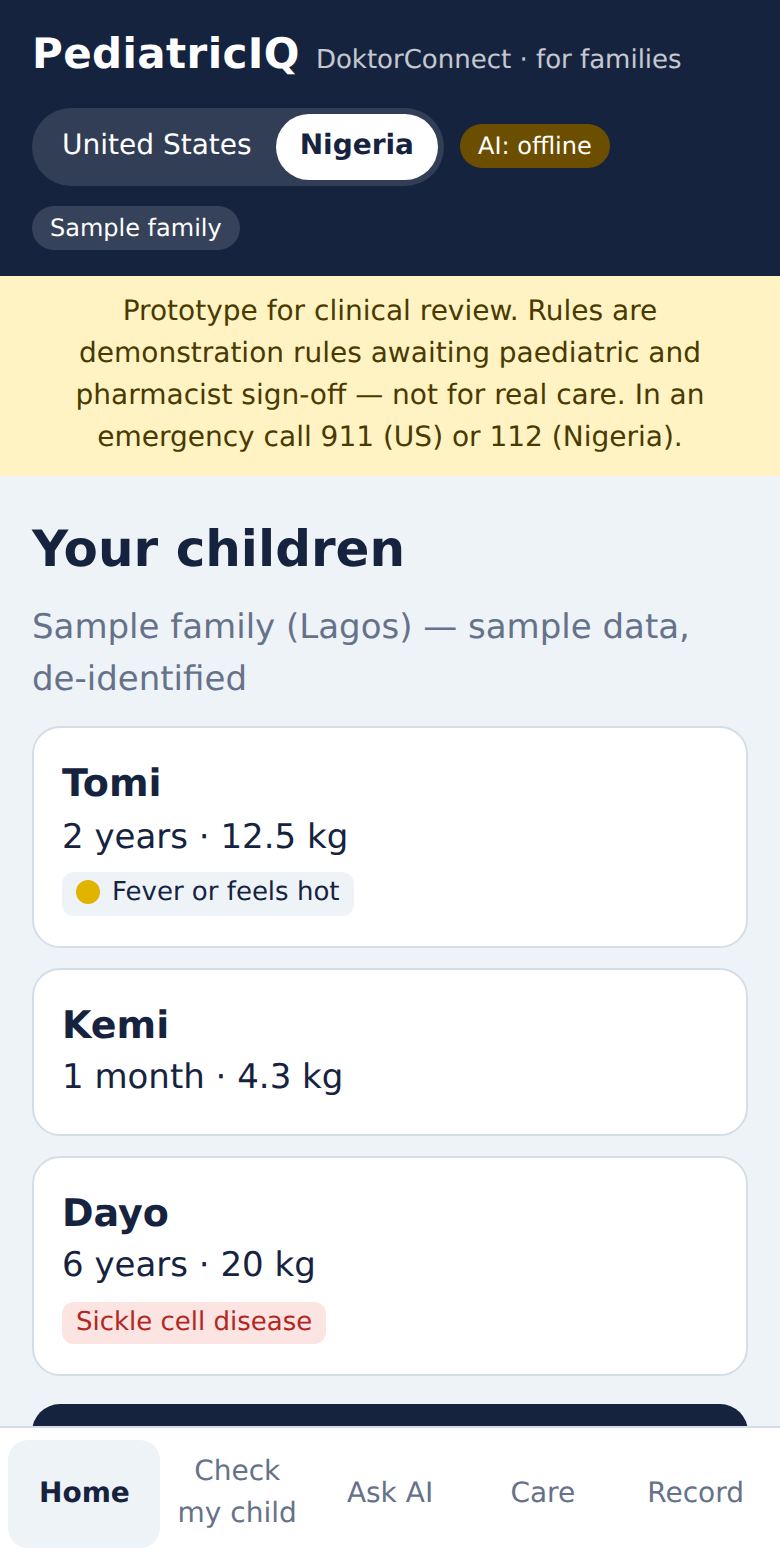
Important. PediatricIQ is currently a prototype under clinical review. Its rules are awaiting sign-off by the paediatric board and pharmacists. It supports, and never replaces, a clinician. If in doubt, seek care.
2 · How it decidesThe four levels of care
Every check ends in one of four levels. The level decides what you are told to do, and it changes with your country and — in Nigeria — the time of night.
Emergency nowUS: call 911. Nigeria: nearest hospital emergency or 112.
A clinician nowUS: CareClix video visit, 24 hours. Nigeria: a DoktorConnect doctor, 8 a.m.–midnight; hospital overnight.
A clinician within 24 hoursBook a visit; follow the Watch Plan until then. Nigeria overnight: first 8 a.m. slot.
Care at homeComfort and care advice, plus a Watch Plan of timed check-backs.
The protocol decides; AI explains. Any single danger sign always means Emergency now, whatever else you enter.
Levels only go up on their own. A later check, a text reply or a clinician can raise the level. Nothing you tap can lower a clinician’s decision.
Nigeria at night (midnight to 8 a.m., Lagos time): “A clinician now” means go to the hospital; “within 24 hours” means watch carefully until the 8 a.m. slot.
For families · 3Getting started
Go to mypediatriciq.com on your phone. Tip: use your browser’s Add to Home Screen so it opens like an app.
Enter your email. We send you a secure sign-in link — no password to remember. Open the link on the same device.
Tap Add a child: first name, date of birth, sex, country, a recent weight, and any long-term condition (sickle cell disease, asthma, type 1 diabetes, epilepsy, severe allergy, autism, kidney disease).
The country sets the doctors you reach and the units you see: pounds, inches and °F in the US; kilograms, centimetres and °C in Nigeria.
Just looking? Tap Try the sample family to explore with made-up children. Nothing you do there is saved.
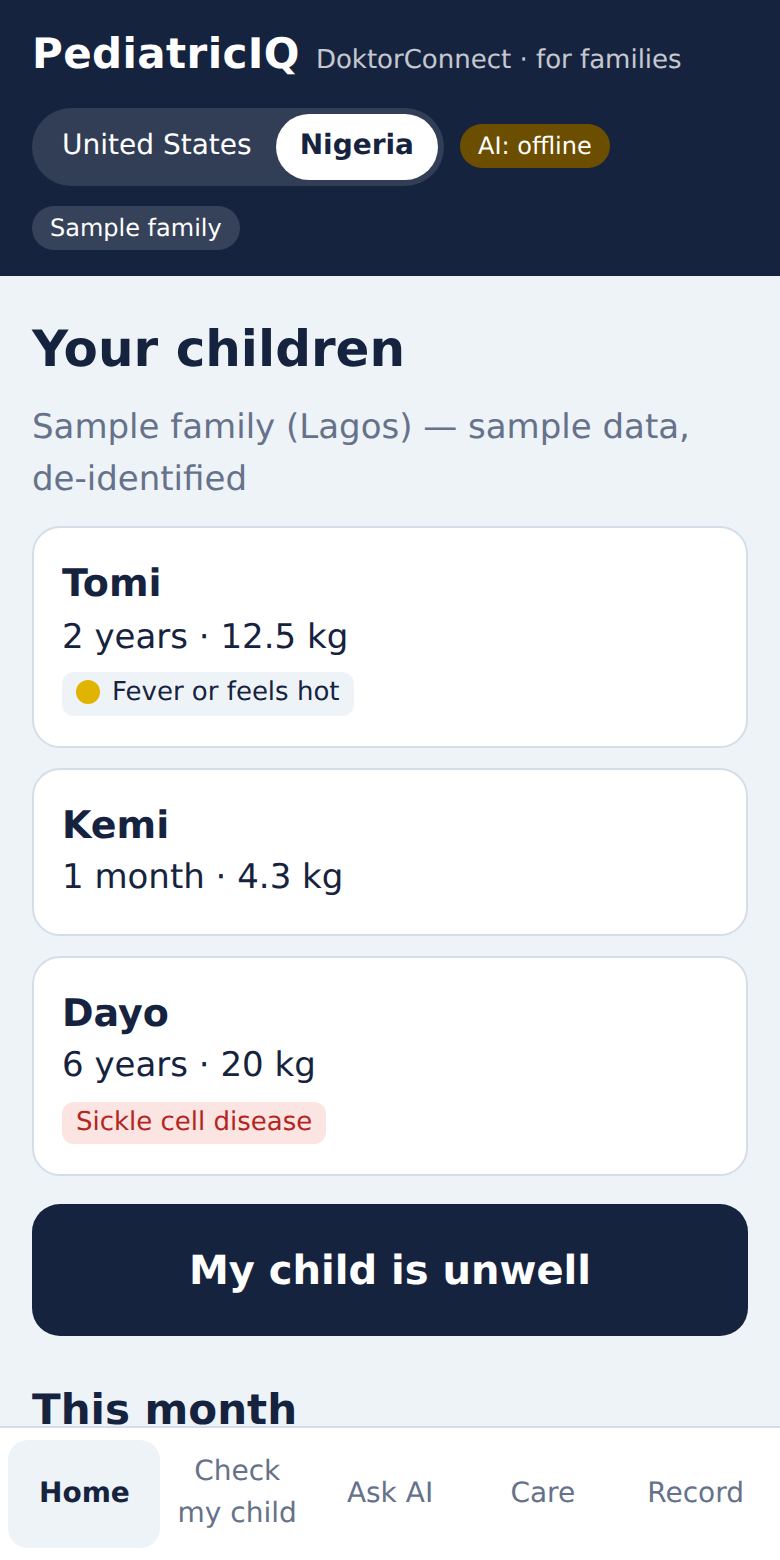
The five tabs at the bottom:Home (your children, this month, tools) · Check my child · Ask AI · Care (doctors, recordings, texts) · Record (the child record).
Home: your children and “My child is unwell”.
For families · 4My child is unwell
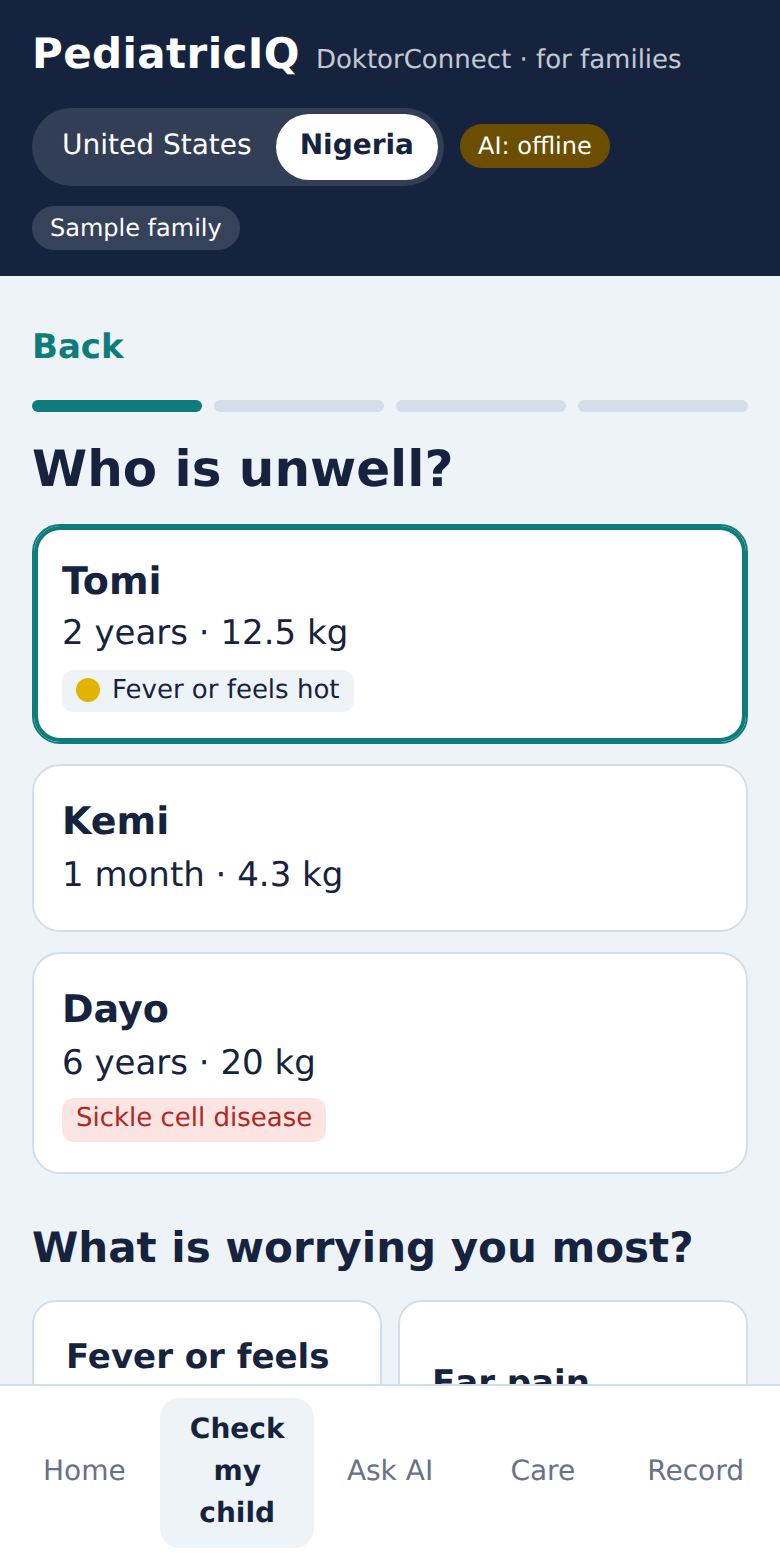
Tap My child is unwell on Home, or the Check my child tab. It takes two to four minutes.
1. Who and what
Choose the child, then what worries you most. PediatricIQ covers thirteen problems:
Fever or feels hot
Ear pain
Vomiting or diarrhoea
Cough, cold or breathing
Baby crying or unsettled
Head injury or fall
Burn or scald
Swallowed something / poisoning
Rash or skin problem
Red or sore eye
Sore throat
Headache
Swelling, urine or kidney problem(new)
Not listed? Choose the closest one and describe it in your own words next.
Choose the child and the main worry.
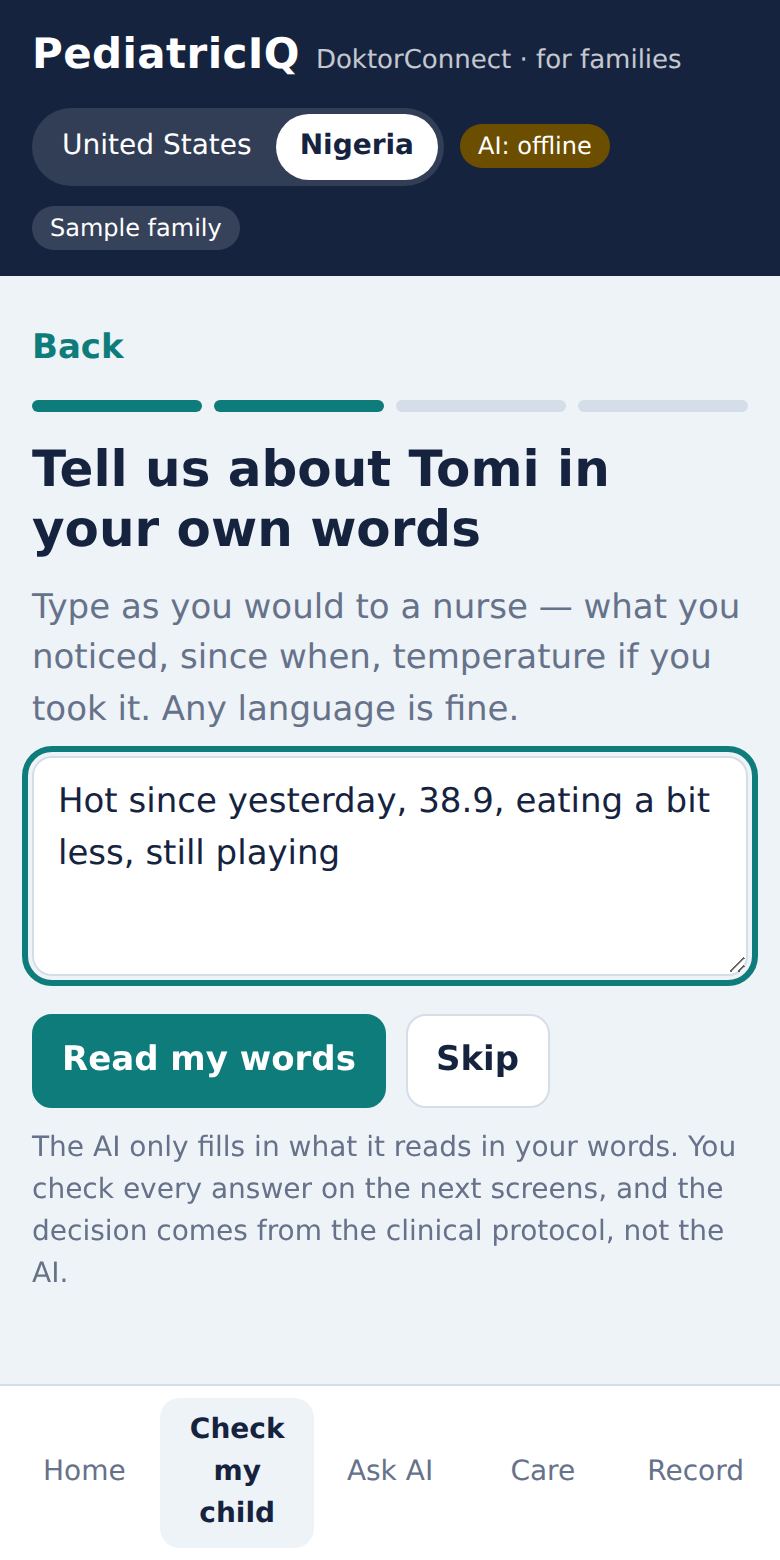
Say it your way — any language.
2. In your own words
Type — or use your phone’s microphone — what you would tell a nurse: what you noticed, since when, the temperature. English, Pidgin, Yoruba, Hausa, Igbo, Spanish — any language is fine. Tap Read my words.
The AI only ticks boxes for what it reads in your words, and you check every tick on the next screens. It never makes the decision. Prefer not to? Tap Skip.
3. Danger signs and a few questions
You are asked about the universal danger signs — struggling to breathe, a fit, very sleepy or floppy, cannot drink, vomiting everything, a rash that doesn’t fade under a glass, a stiff neck. Any one of them means Emergency now.
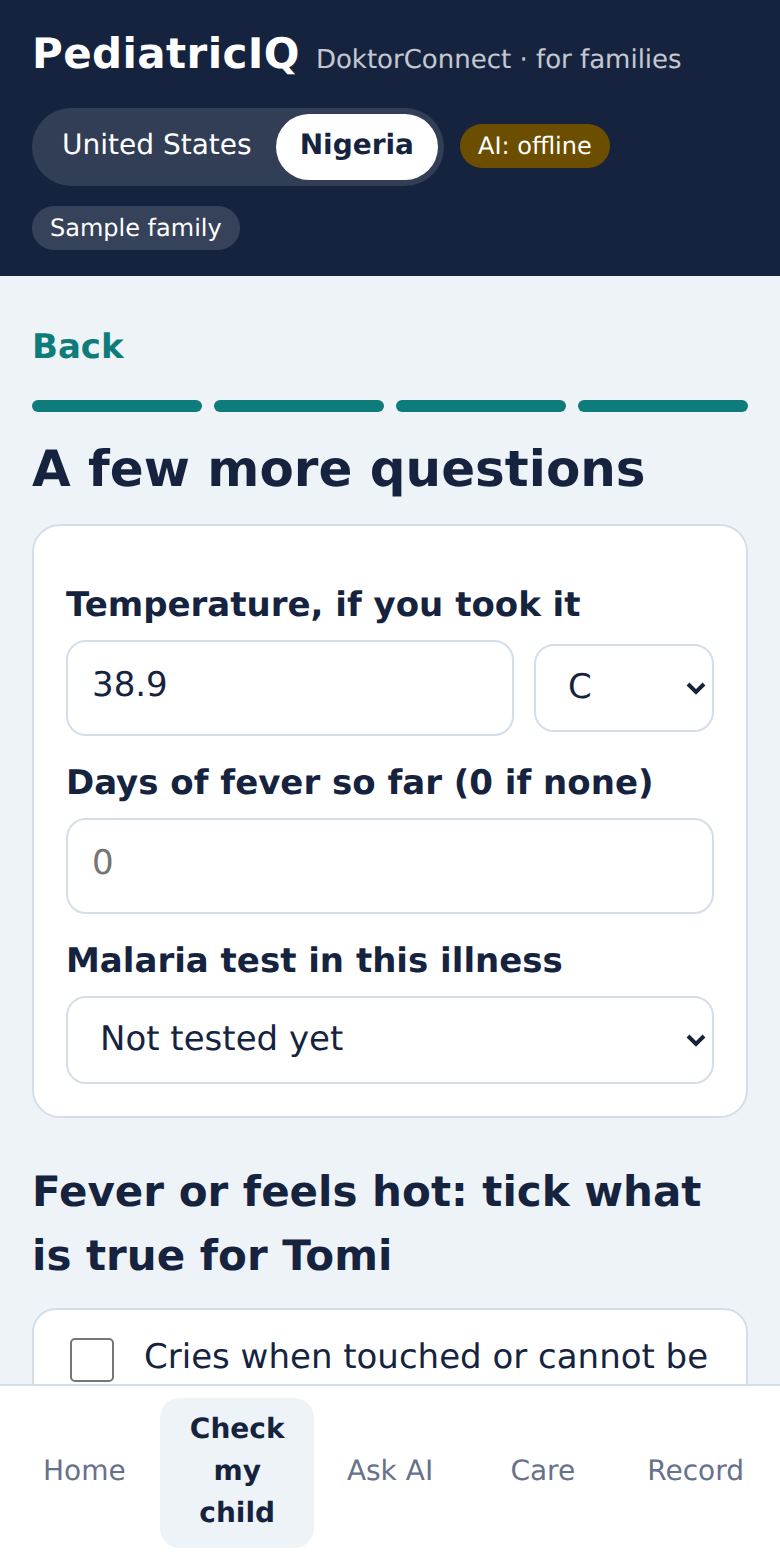
Then a few questions for the problem you chose, plus the temperature (°F in the US, °C in Nigeria — a number typed in the other unit is still read correctly), days of fever, and in Nigeria whether there has been a malaria test. For a cough you may be asked to count breaths for one minute — the app times it for you.
A few more questions.
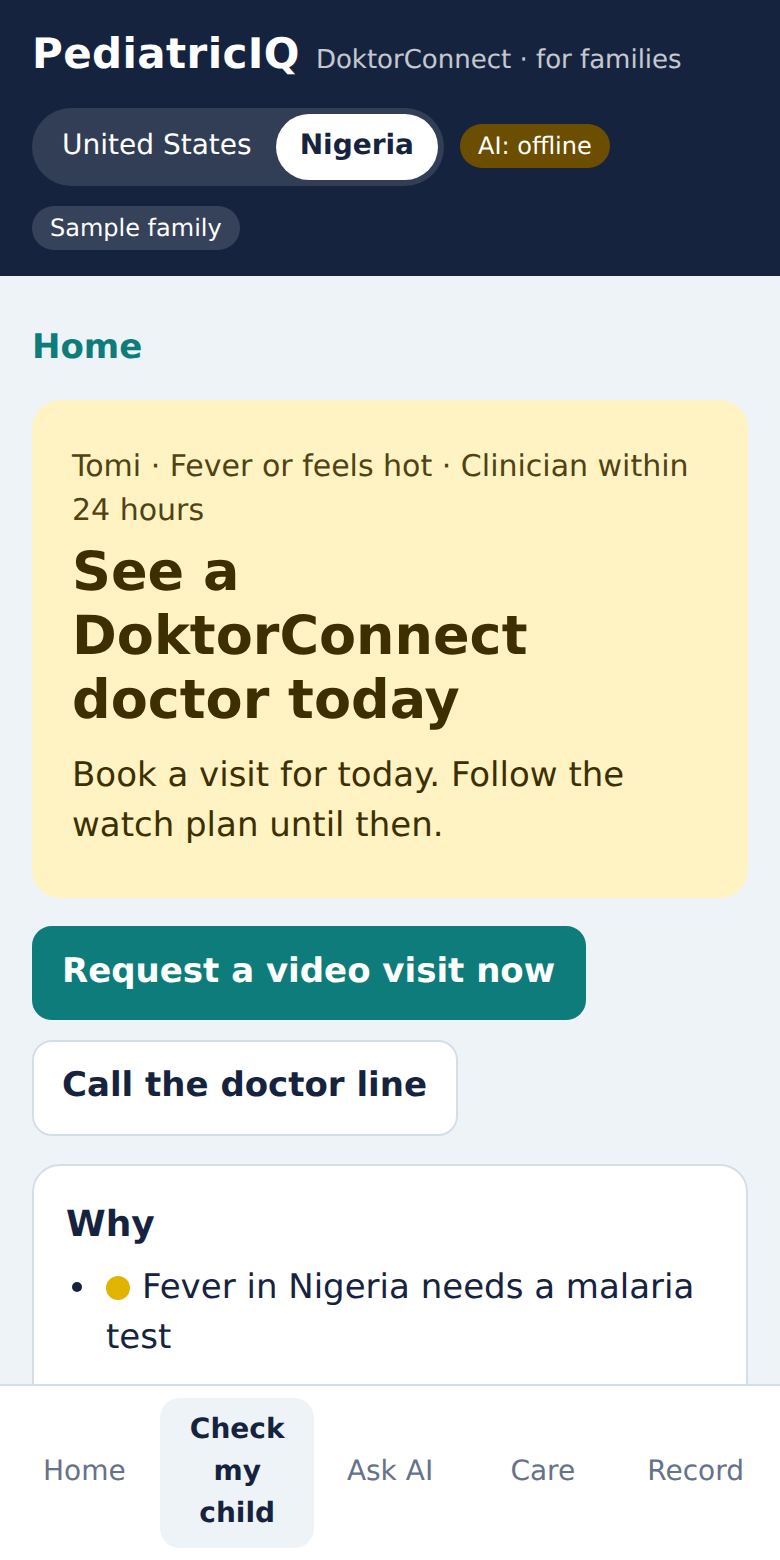
The result: the level, what to do, and why.
4. The result
At the top: the level and exactly what to do now — with one-tap buttons such as Call 911 / 112, Find the nearest hospital, Start a CareClix video visit or Request a video visit now.
Why: every rule that fired, in plain words.
To do: practical steps (for a burn: cool running water for 20 minutes; for poisoning: call Poison Control in the US, go to hospital with the container in Nigeria — never make the child vomit).
In plain words: a short explanation. It is checked so it can never soften the decision.
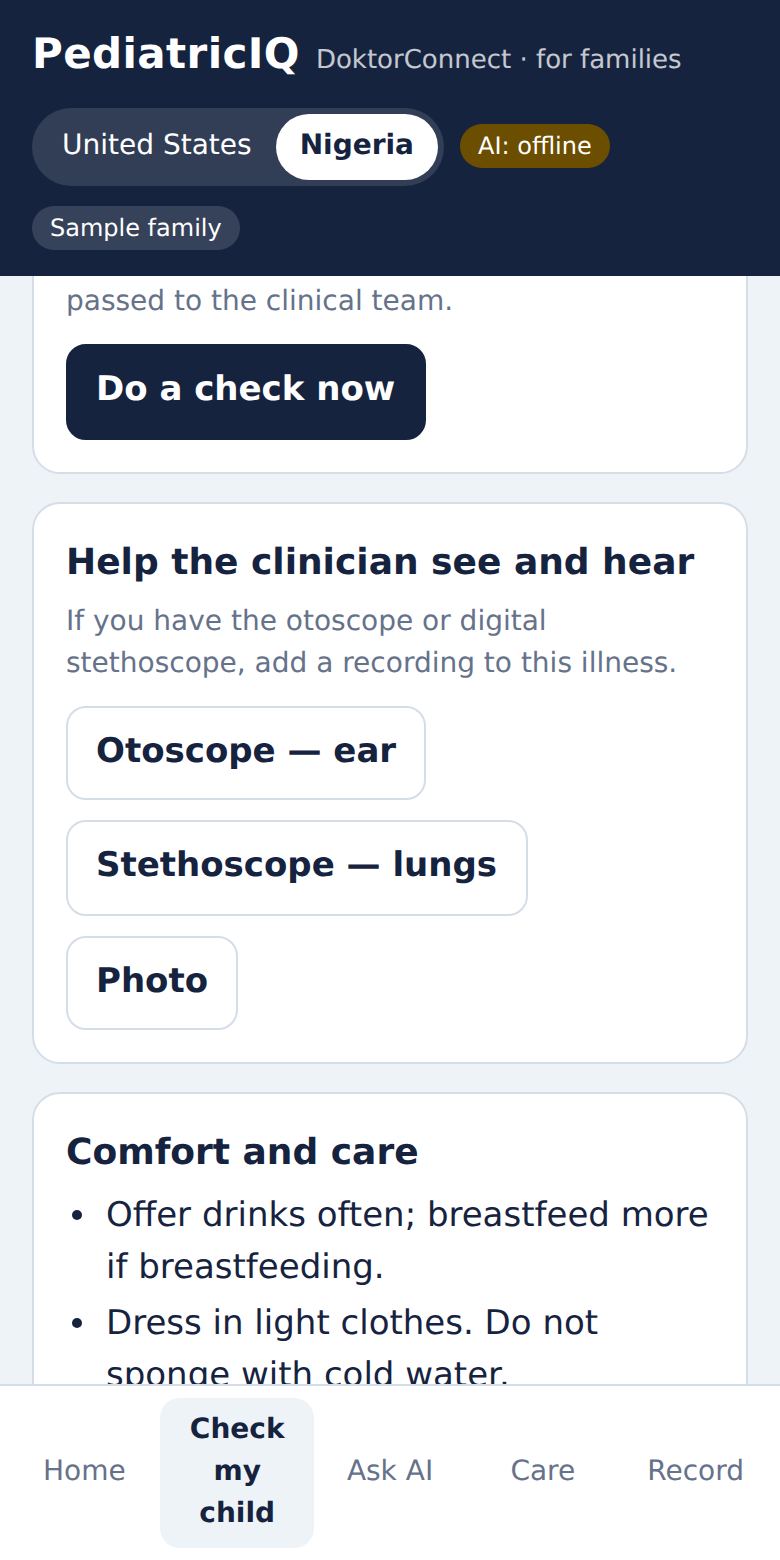
Watch plan and Comfort and care tips, with Work out a safe dose.
Special situations are always taken seriously: a fever under 3 months, sickle cell disease with fever or headache, a head injury in a baby, button batteries or kerosene, a teen’s safety answers, and any unwell child who already has kidney disease.
New — swelling, urine or kidney problems. Choose this for puffy eyes or face, swollen legs, feet or tummy, red, brown or cola-coloured urine, passing very little urine, pain or burning when passing urine, side or lower-back pain, or a high blood pressure reading. Little or no urine with swelling or red urine, or high blood pressure with a bad headache, blurred vision, vomiting or a fit, means Emergency now. Swelling or very little urine means a clinician now — bring a fresh urine sample in a clean container if you can. Avoid ibuprofen and herbal remedies in a child with swelling or kidney problems unless a doctor says they are safe. These rules are a draft under review by a paediatric nephrologist.
For families · 5The Watch Plan and check-back texts
Most illnesses get better at home — but some get worse. The Watch Plan sets times to check again (for example 6, 24 and 48 hours for a fever; 1, 4, 12 and 24 hours after a head injury).
At each time, open the illness and tap Do a check now. You answer the warning signs again and the level updates.
Turn on check-back messages in the Care tab: your mobile number, WhatsApp or SMS, and your consent. At each check time a message arrives on WhatsApp from DoktorConnect (+234 802 780 6577), starting “PediatricIQ check-in for” your child’s name and the illness. If WhatsApp can’t deliver, a short text message comes instead.
Reply with one number: 1 any warning sign · 2 getting worse · 3 about the same · 4 better. A 1 gives you emergency instructions straight away; a 2 raises the level and alerts a clinician.
No reply? We remind you once after an hour. Still no reply an hour later, and a clinician is alerted to call you.
Reply STOP at any time to end PediatricIQ messages, or STOP ALL to end messages from every DoktorConnect service. The same DoktorConnect number is shared by other DoktorConnect services, so if two of them have messaged you recently you may be asked “Which service is this about?” — reply P for PediatricIQ (or start your reply with P, for example “P 3”). Message and data rates may apply. Never wait for a text in an emergency.
Check-back times and “Do a check now”.
For families · 6Dose Guard — safe medicine doses
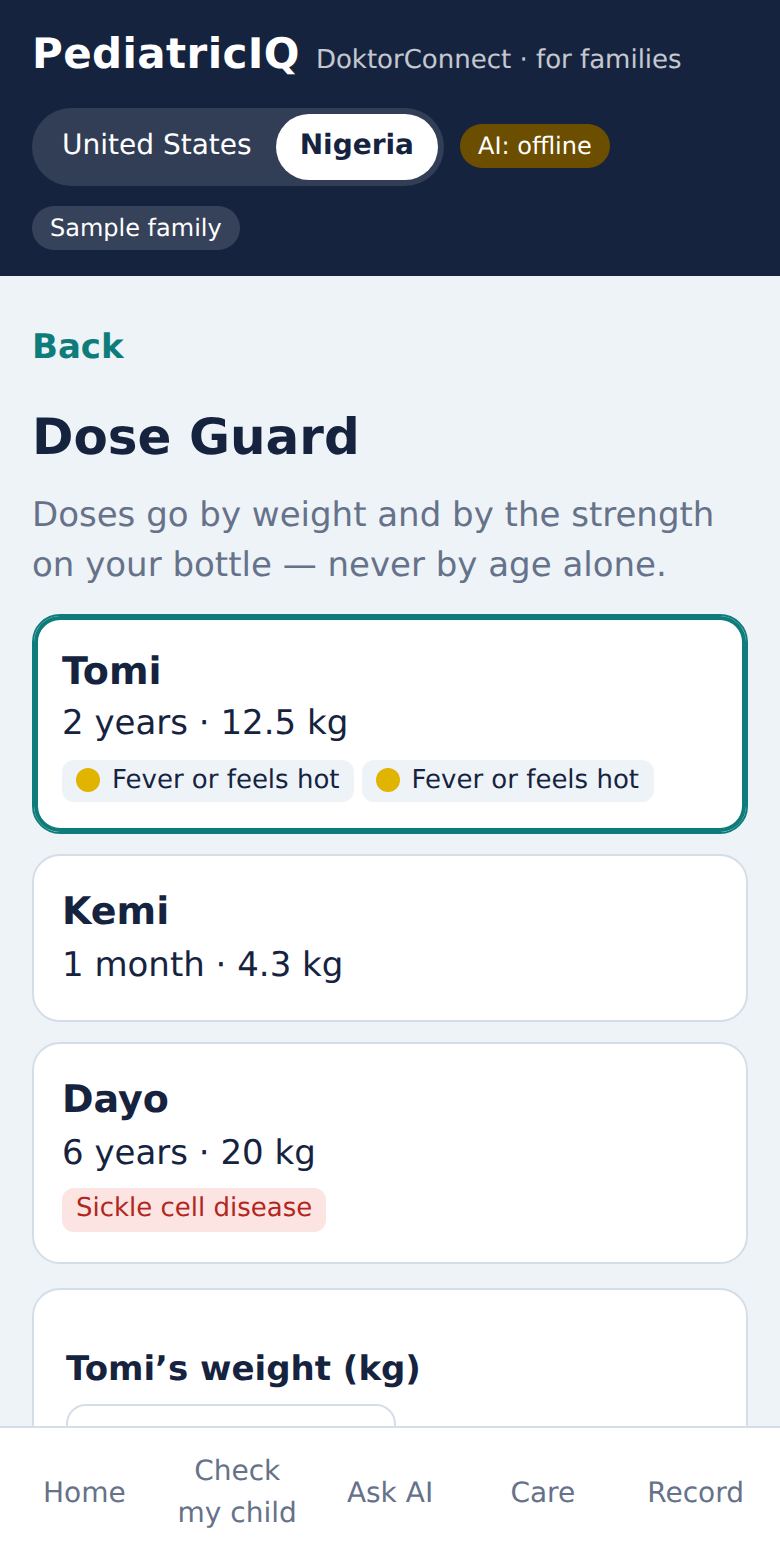
Doses by weight and bottle strength.
Fever medicine doses depend on weight and the strength on the bottle — never on age. Open Dose Guard from Home or from a result.
Choose the child and check the weight (pounds in the US, kilograms in Nigeria). Weigh them if the weight is more than a month old.
Choose paracetamol (acetaminophen) or ibuprofen.
Confirm the strength printed on the bottle — or photograph the label and PediatricIQ reads it; you still tap the matching strength.
You get the dose in mL, rounded down for safety, and the time the next dose is allowed. Tap to log it.
Dose Guard will refuse when it isn’t safe: paracetamol under 3 months or ibuprofen under 6 months, no weight, bottle strength not confirmed, too soon since the last dose, or the maximum doses in 24 hours already given. Ibuprofen carries a warning if your child may be dehydrated.
For families · 7Care — doctors, video visits and devices
Talk to a doctor
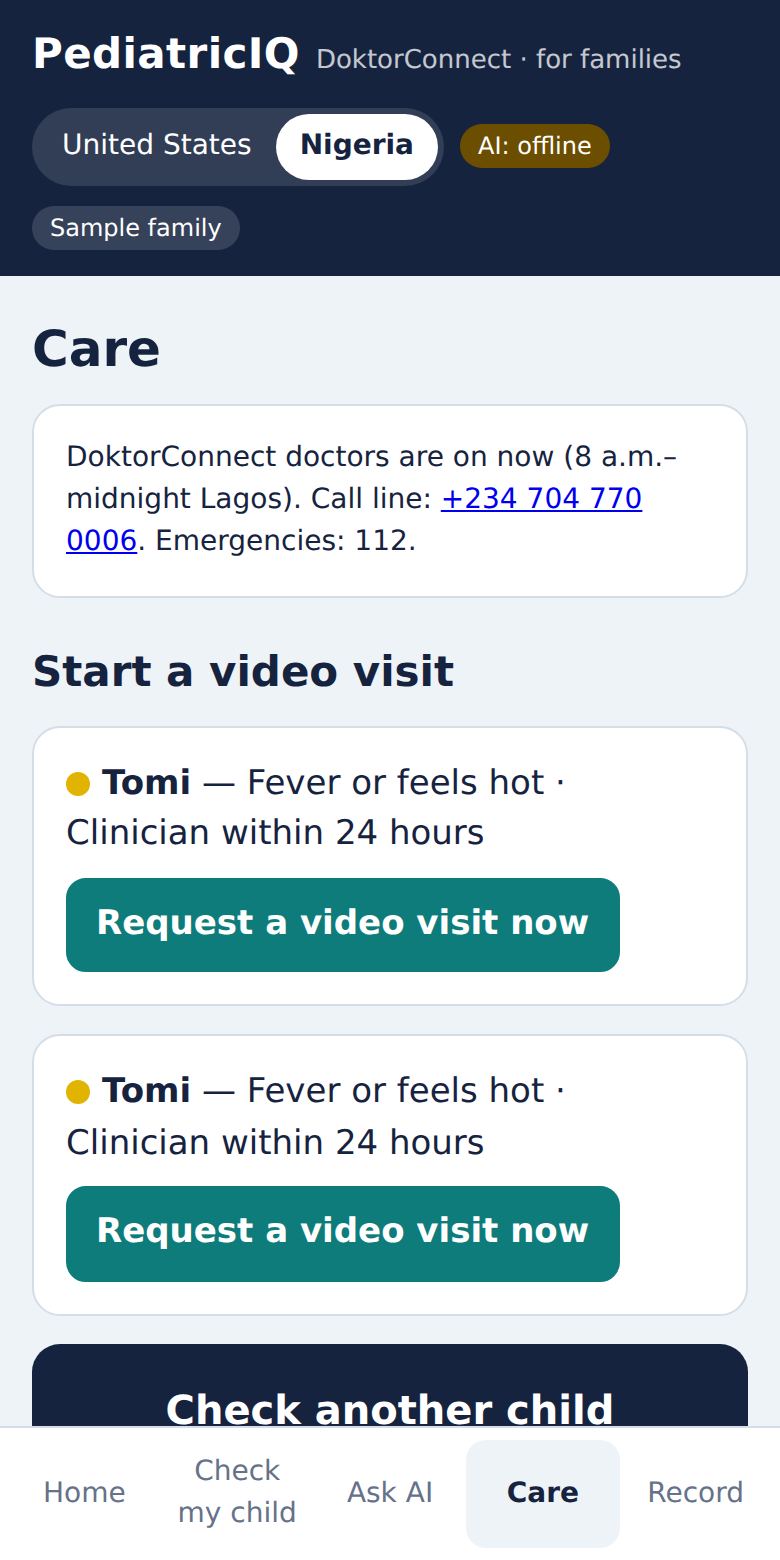
The Care tab shows who is on duty now, your visits, and a button for each open illness.
United States
Nigeria
Who
CareClix pediatric clinicians
DoktorConnect doctors
Hours
24 hours
8 a.m.–midnight (Lagos). Overnight: hospital, or book the 8 a.m. visit
How
Start a CareClix video visit. The first time, CareClix emails you an activation link.
Request a video visit now. You see: request sent → doctor accepts → join the video → the doctor’s summary. Call line +234 704 770 0006.
Every visit starts from a check, so the doctor already has your answers — and anything urgent is caught first. Video rooms are private and deleted when the visit ends.
Record for your doctor
Choose the child, then Heart or Lungs (Linktop HC21 digital stethoscope), Ears (Linktop NE20 otoscope), Eye photo or Skin or rash. Recordings attach to the open illness and are reviewed by a clinician, not scored by AI.
Stethoscope: connects by Bluetooth in Chrome or Edge on Android phones and laptops.
Otoscope: works as a USB camera on laptops and many Android phones.
iPhone: record in the Linktop app, then attach the file here.
Check-back texts
Shows whether texts are on and to which number — tap to change or turn them off.
Care: who is on duty, visits and recordings.
For families · 8The child record
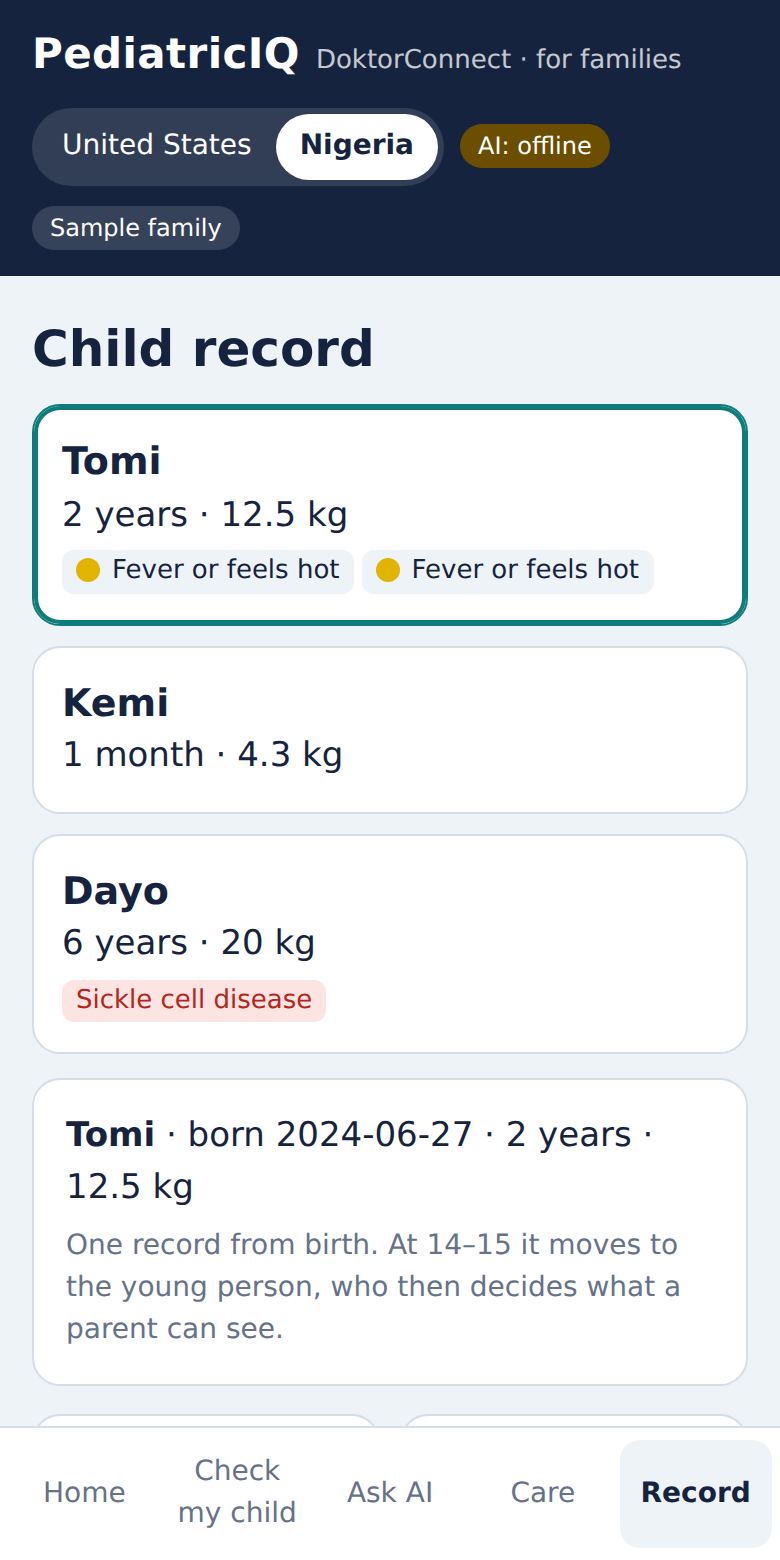
The Record tab keeps one record for each child from birth. At 14–15 it moves to the young person, who then decides what a parent can see.
Tile
What it does
Growth
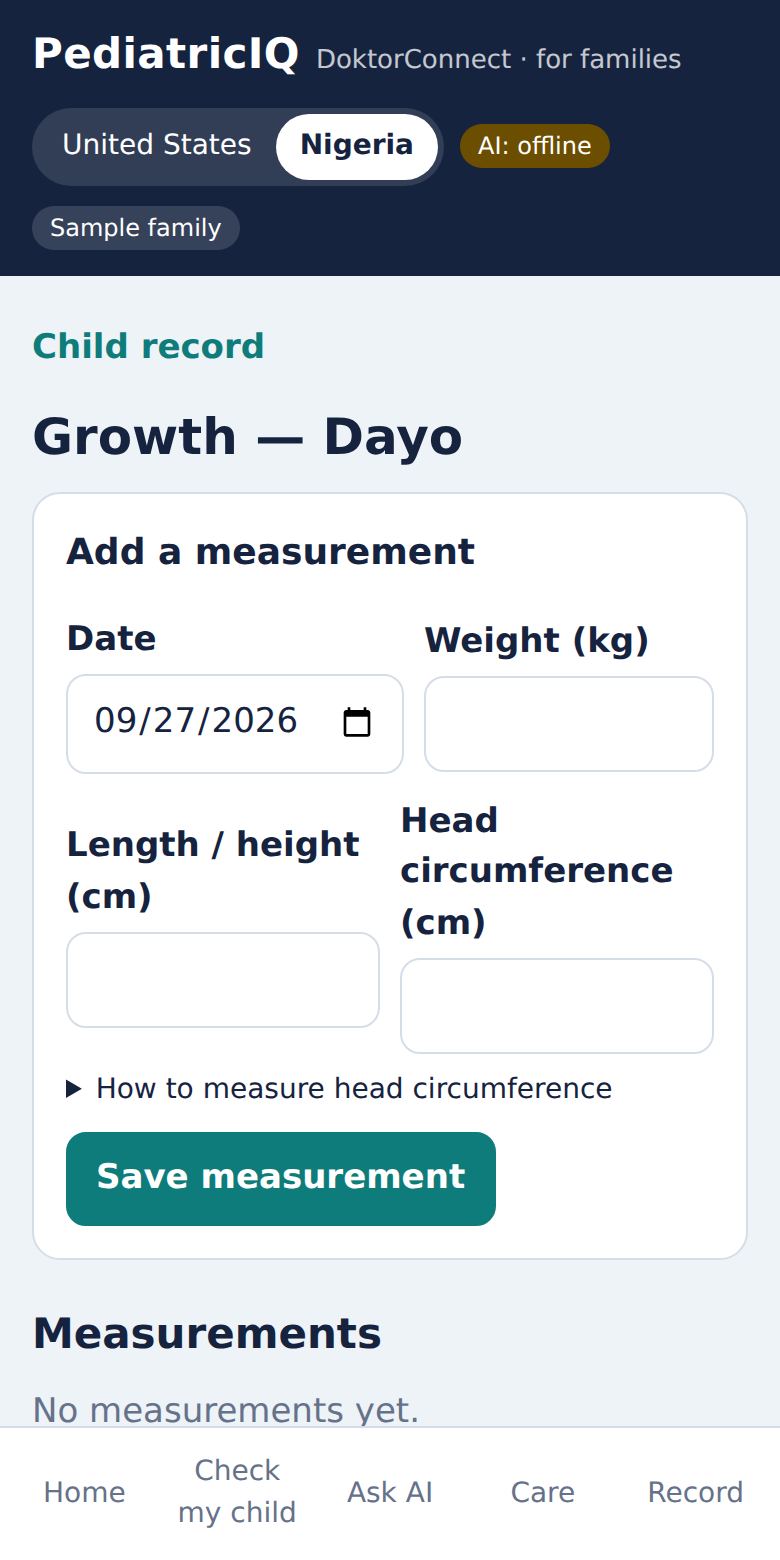
Add weight, length/height and head size. Shows centiles and z-scores: WHO standards under 5, CDC charts from 5 to 20, and BMI from age 2. Anything worth a look is flagged for a clinician.
Milestones
Short checklists from 2 months to 5 years: what your child can do now. Lost skills or “not yet” items are flagged.
Vaccines
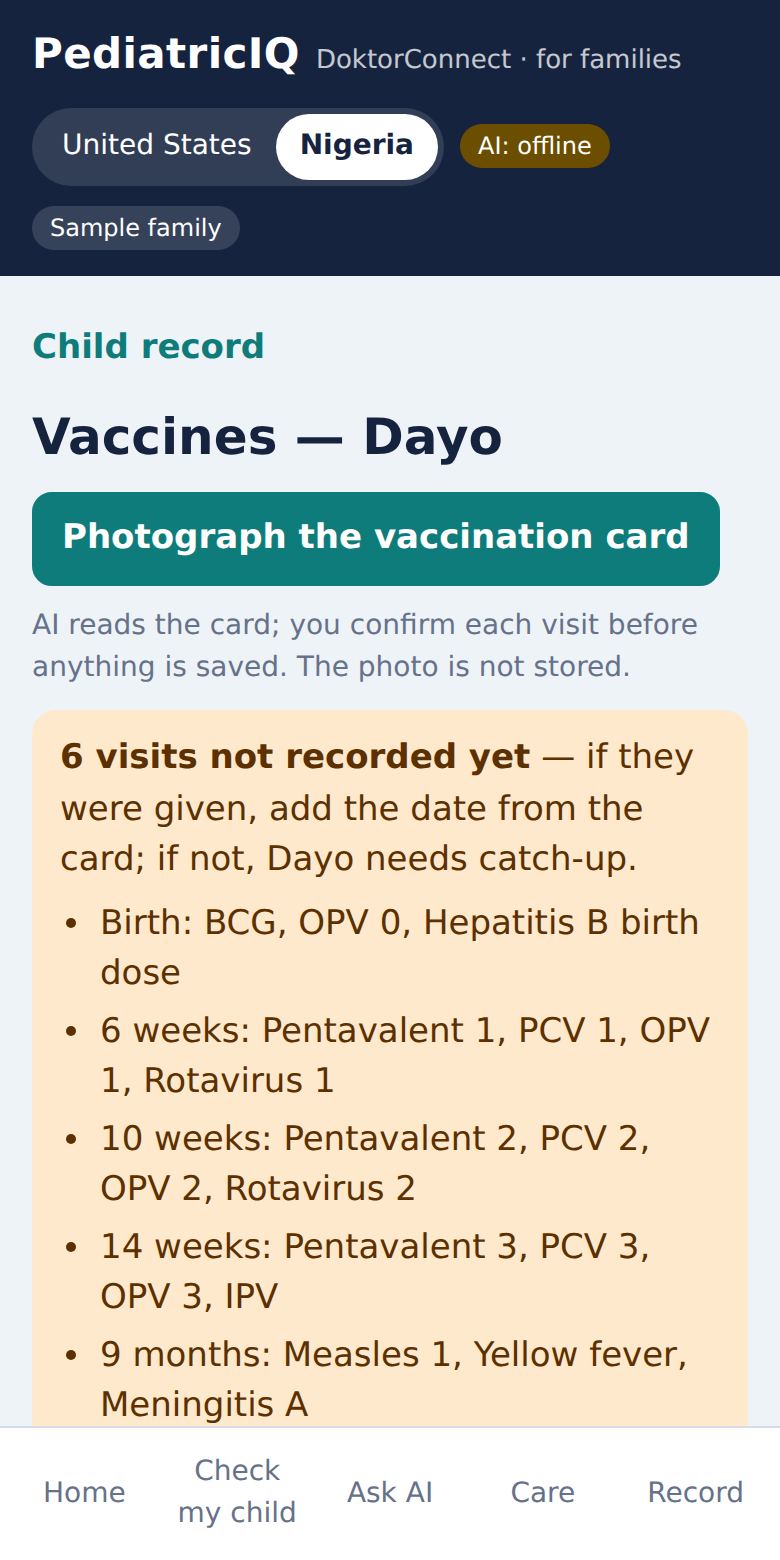
The schedule for your country. Photograph the vaccination card and PediatricIQ reads the dates; you confirm each one before it is saved (the photo is not stored). Missing visits are listed with catch-up guidance.
Birth record
Weeks of pregnancy, birth weight, Apgar scores, head size, newborn hearing screen.
Eyes and ears
The signs to watch for at your child’s age.
Exam recordings
Stethoscope, otoscope and photo recordings.
Action plans
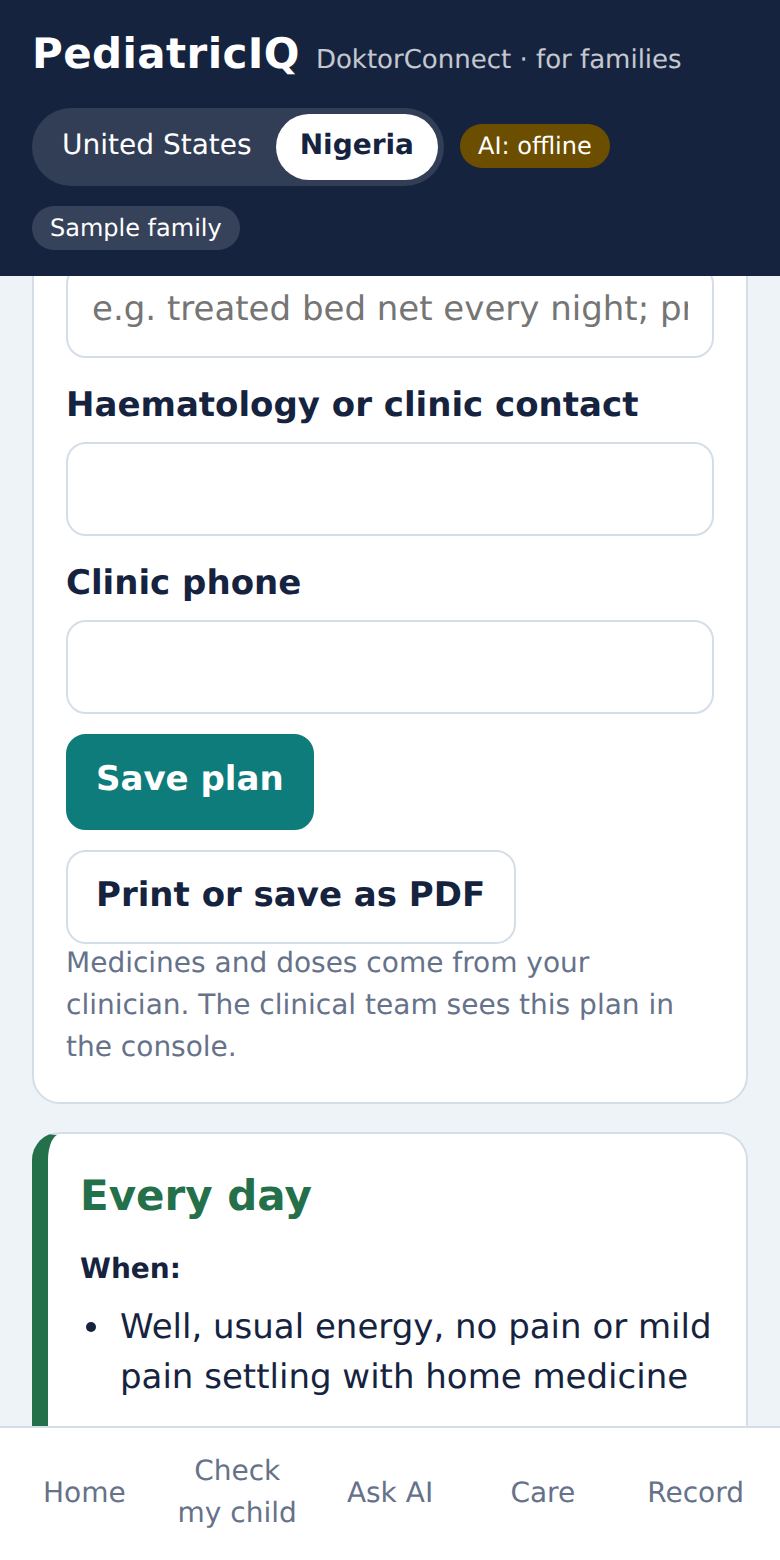
Appear when a child has asthma (green, yellow and red zones) or sickle cell disease (daily care, pain at home, go to hospital now). Fill in the medicines and doses from your clinician, then Print or save as PDF for school and family.
Safe sleep, crying plan
For babies: back to sleep, every sleep; and a plan for hard moments — never shake a baby.
The record also lists every illness and every dose given, so any clinician can see the history.
One record from birth.
Growth — in the child’s units.Vaccines — card photo and missing visits.Sickle cell care plan.
For families · 9Mind & mood
Feelings, worries and behaviour matter as much as fevers. Open Mind & mood from Home → Tools, then tap the child.
Parent checklist (ages 4–17): 17 quick questions about the past few weeks (the Pediatric Symptom Checklist).
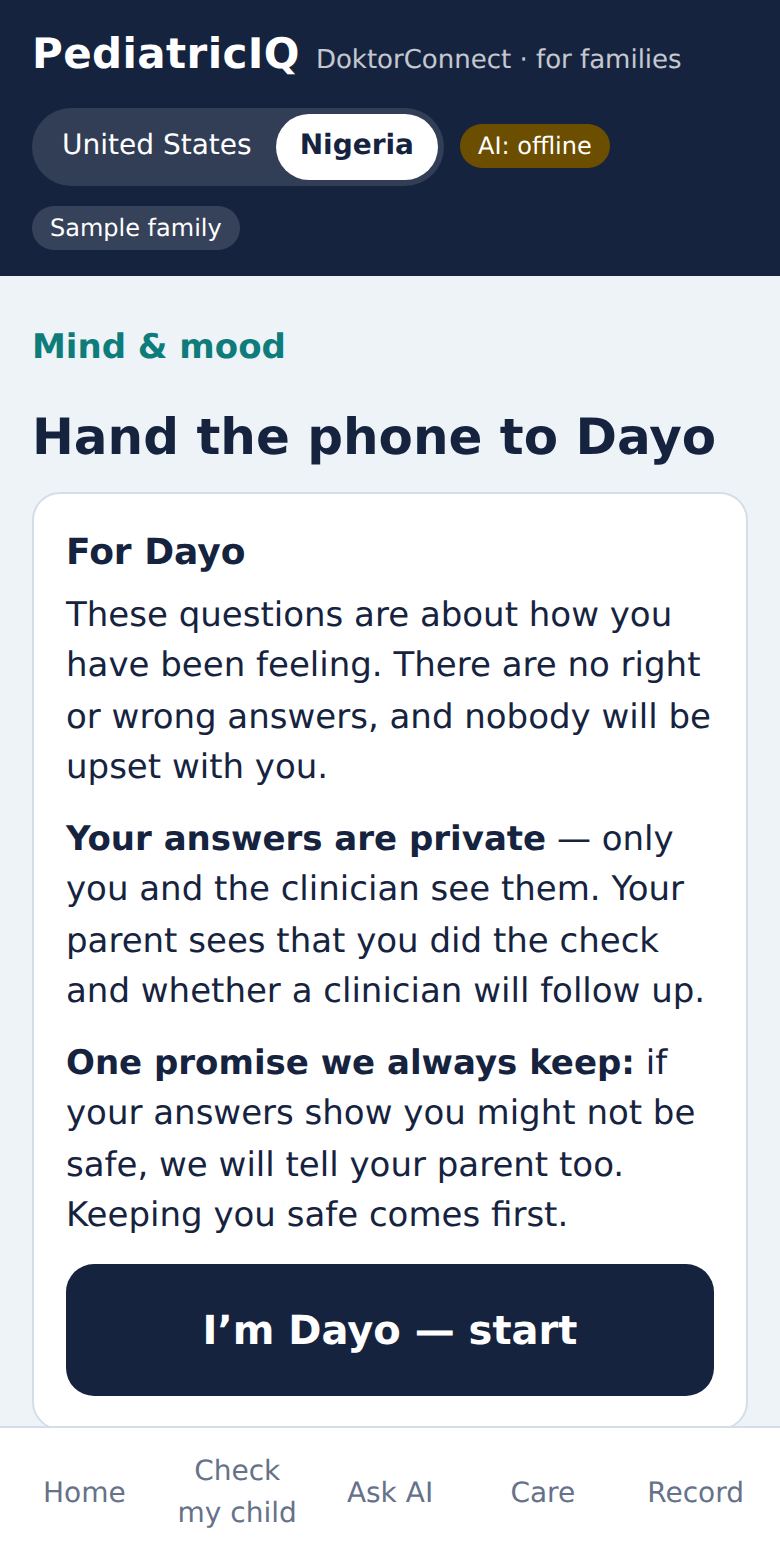
Teen check (ages 12–17): hand the phone to your teen. They answer privately about mood, worry and safety.
Under 4: behaviour and development are in Milestones.
Privacy for teenagers
Under 14, you see a summary. From 14, your teen’s answers go only to the clinician; you see that the check was done and whether a clinician will follow up. One promise is always kept, and your teen is told it first: if the answers show they may not be safe, you are told there is a safety concern — never the answers themselves.
If a safety concern appears, you are told to stay with your child and put away medicines, sharp objects, rope, pesticides and any weapon — a step that saves lives — and how to get help now.
You, the parent
Your Ready Mindset shows what tends to get in your way when following a care plan, so clinicians can explain things the way that works for you. The Compass helps if you are feeling heavy or lost yourself, pointing you to EMBER or WAYLIGHT.
The teen is told how privacy works before starting.
For families · 10Ask PediatricIQ
Everyday questions, answered simply.
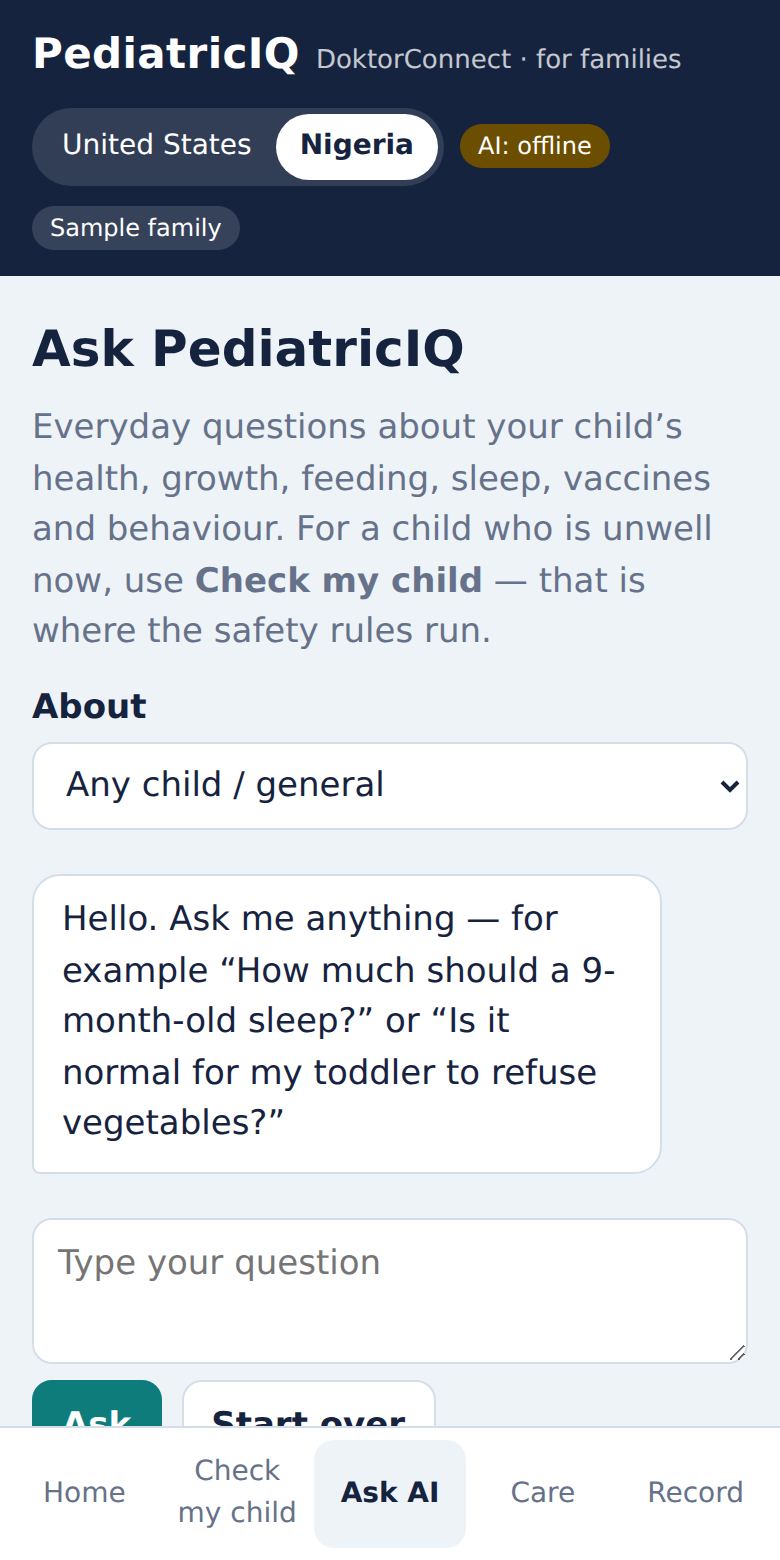
The Ask AI tab answers everyday questions — sleep, feeding, growth, vaccines, behaviour — in short, plain answers.
It never diagnoses and never gives a medicine dose (it sends you to Dose Guard).
If your child sounds unwell now, it tells you to use Check my child.
Emergency or self-harm words are caught before any AI is used, and you get the emergency or crisis numbers straight away.
Conversations are not stored.
For families · 11PRAXIS for autistic children
For a child with autism ticked — or after a milestone concern — the record shows PRAXIS — therapy together: physiotherapy, occupational therapy and speech therapy in one record, built from your child’s own baseline.
Tap Connect PRAXIS. PRAXIS opens with a one-time code.
Sign in there and tap Share with PediatricIQ.
Come back and tap I’ve shared — check now. Movement, fine-motor and communication trends, and your therapists’ plan, appear in the record — and your child’s clinicians see them too.
You stay in control: stop sharing any time in PRAXIS (Me → Share with a therapist). Raw recordings never leave PRAXIS.
For families · 12From the DoktorConnect app
In the DoktorConnect app, Family → Open in PediatricIQ opens that child here. Symptom check → My child sends children to PediatricIQ’s child-safe rules.
Sign in with the same email as the DoktorConnect app. Each child keeps one DoktorConnect ID everywhere, linked to you as their parent.
PediatricIQ is also listed among the DoktorConnect engines.
For families · 13Privacy and safety
Your data
Only you and your child’s clinical team can see your child’s record.
Clinical reviewers who check the rules cannot see any patient data.
A teen’s private answers can be read by clinicians only — never through the family account.
Your number is used only for care messages; it is never shared for marketing.
What PediatricIQ is not
Not a diagnosis, and not a replacement for a doctor.
Not for emergencies — call 911 (US) or 112 (Nigeria).
A prototype under clinical review: rules are awaiting board and pharmacist sign-off.
14 · For cliniciansThe clinical console
Open mypediatriciq.com/console. Access is by invitation: an administrator adds your email and role, then you sign in with the emailed link.
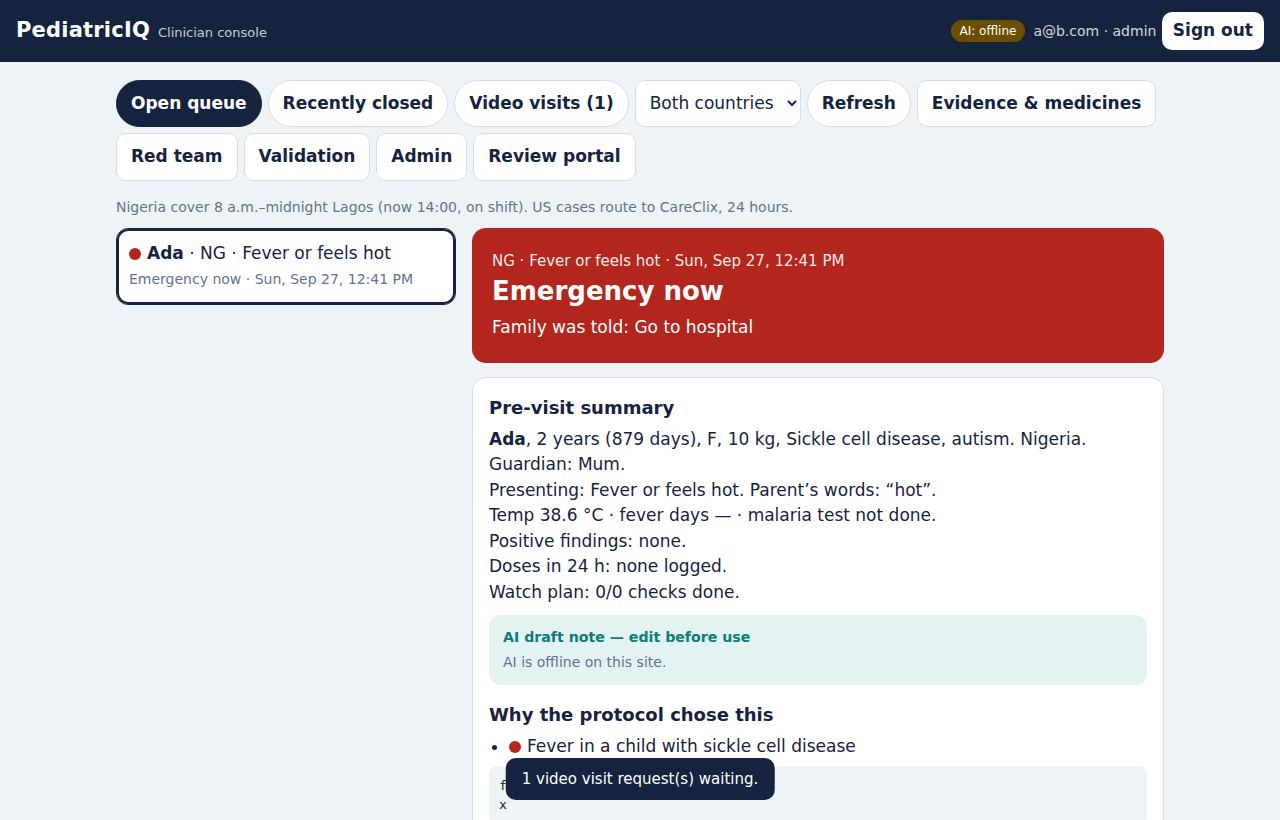
The console: queue on the left, the case on the right.
Working the queue
Open queue is sorted by urgency, then time. Recently closed and Video visits sit beside it. New cases appear automatically.
A red needs a call tag means the family reported a worsening by text or missed two check-backs.
Each case opens with a pre-visit summary: age, weight (with pounds for US children), conditions, the level and every rule that fired, the family’s own words, Watch Plan progress, texts, doses given, recordings, growth, vaccines, action plans, the caregiver’s Ready Mindset profile, and PRAXIS trends where shared.
Mind & mood cases show the scores and the suicide-screen result. A red CONFIDENTIAL — 14+ banner means you must not share answers or scores with the parent; safety concerns are shared.
Acting on a case
Your level for this case: record the level you would have chosen. This calibrates the rules and feeds the validation study.
Write a clinical note and a message, then Save and send to family — the family sees your message in the app.
Offer a video visit now (Nigeria), or accept and schedule requests in Video visits, then join from the console.
Prescribe / medicines and Evidence for this case open the evidence library and weight-based prescribing calculator for that child.
Also in the console
Evidence & medicines
Guideline summaries and a 19-entry prescribing calculator (pending pharmacist sign-off).
Red team
Runs the 108 safety tests on demand, plus live adversarial probes of the AI, with run history.
Validation
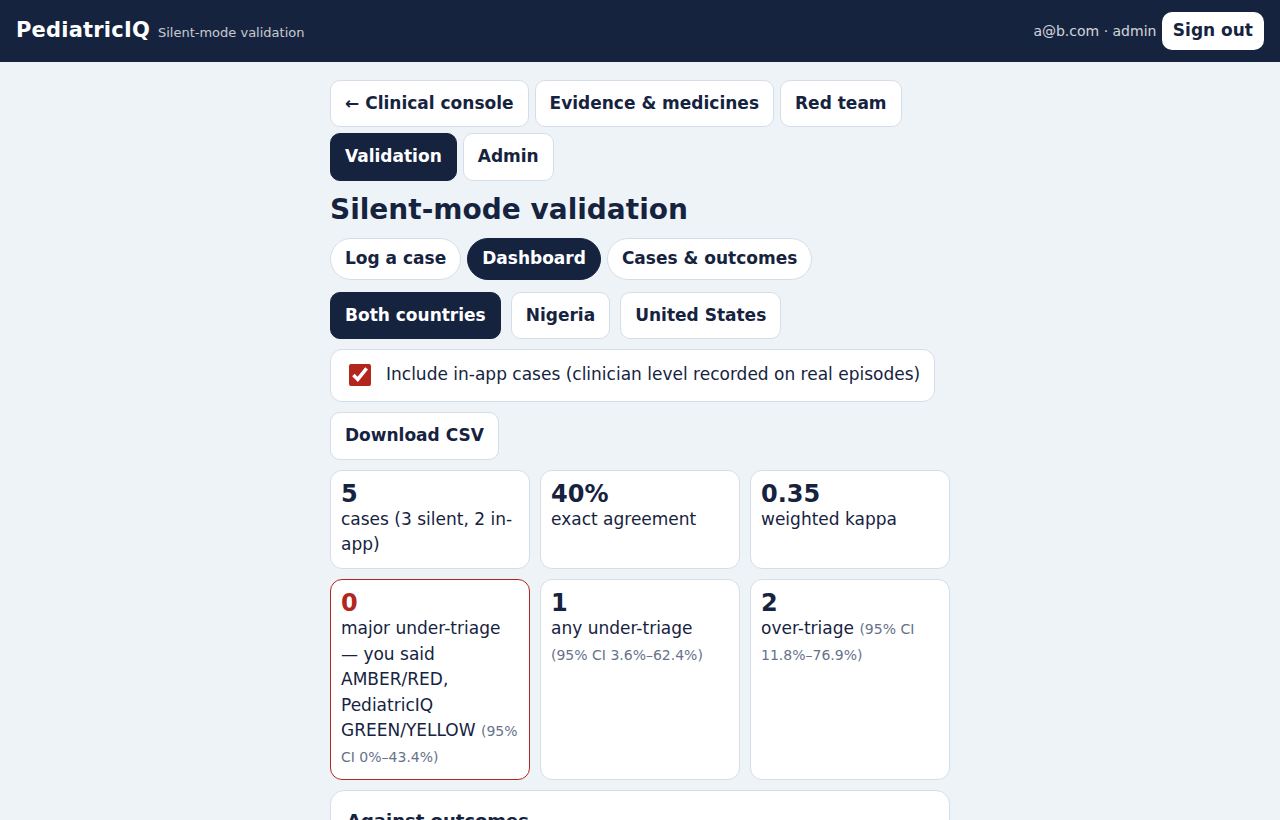
Silent-mode study: log a real case (no names, no dates of birth), record your decision first, then see PediatricIQ’s. Add the outcome at 72 hours. The dashboard shows agreement, under- and over-triage with 95% intervals, and sensitivity for serious outcomes. Download CSV.
The validation dashboard.
15 · For clinical reviewersThe review portal
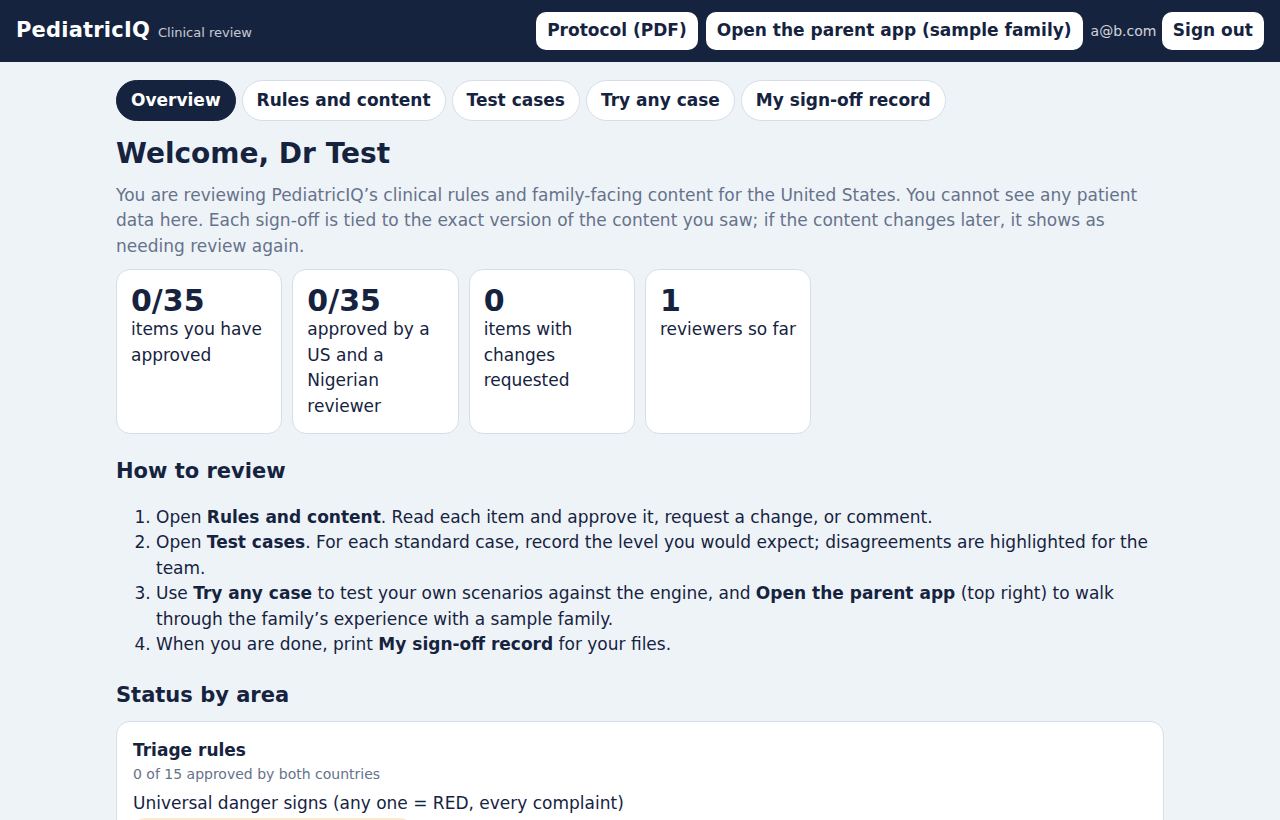
Open mypediatriciq.com/review. Reviewers are invited by an administrator and can see every rule — but no patient data.
36 items to review: the 13 triage pathways (including the new draft kidney pathway), the night rules and Watch Plan, Dose Guard and the prescribing calculator, vaccines, growth, action plans, Mind & mood, units, and the AI safety rules.
Each item has a fingerprint of its exact content. If a rule changes later, the portal asks for a fresh sign-off on that item only.
The current review panel includes Dr. Olawunmi Mayegun; new reviewers are invited by an administrator.
29 standard cases (five new kidney cases): set the level you expect; PediatricIQ’s answer is shown beside it.
Download the Clinical Protocol v0.4 (PDF and Word, with the named review panel), the Pharmacist Review Packet and the Validation Protocol as PDFs from the portal header.
Open the parent app (sample family) to try every screen yourself.
The review portal.
16 · For administratorsRunning PediatricIQ
Open mypediatriciq.com/admin (administrator role only).
Area
What you do there
Overview
Activity at a glance.
Staff
Invite clinicians, reviewers and administrators by email, with credentials and country. They claim the invitation by signing in.
Sites
Clinics and hospitals, used to label cases and validation data.
Patients
Upload a clinic’s children by CSV (with conditions such as sickle cell, asthma or autism). Families see them when they sign in with the guardian email.
Audit log
Every sign-off, message, link, merge and safety event, time-stamped.
The health check at /.netlify/functions/health shows the live build and which services are switched on (AI, video, CareClix, texts, Ready Mindset, PRAXIS).
17 · HelpQuestions and troubleshooting
I didn’t get the sign-in email.
Check spam or promotions. Links expire after a while — request a new one. Open the link on the same phone or computer you asked from.
A tile or tab I expected isn’t there.
Some tiles depend on the child: Teen check appears from age 12; action plans appear when asthma or sickle cell disease is ticked; PRAXIS appears for autism or a milestone concern. After an update, refresh the page (on a computer Ctrl+Shift+R; on a phone, close and reopen).
I got a WhatsApp message from “DoktorConnect”. Is it really from PediatricIQ?
Yes, if it starts “PediatricIQ check-in for…” and comes from +234 802 780 6577. We only message numbers that agreed in the app, never ask for passwords or payment by WhatsApp, and you can reply STOP at any time.
I replied and was asked “Which service is this about?”
Another DoktorConnect service messaged you recently too. Reply P for PediatricIQ — your earlier answer is then passed on — or put P before your answer next time (“P 3”).
The units are wrong (kg instead of lb, or the reverse).
Units follow the child’s country. Check the country on the child’s profile.
The stethoscope won’t connect.
Use Chrome or Edge on an Android phone or a laptop, with Bluetooth on. iPhone browsers can’t connect to it — record in the Linktop app and attach the file.
“Could not save” when saving something.
Check your internet connection and try again. If it keeps happening, tell us what you were saving at hello@doktorconnect.com.
Can PediatricIQ tell me what’s wrong with my child?
No. It tells you how urgently your child needs care and what to do meanwhile. Only a clinician can diagnose.
Does my teenager’s check stay private?
From age 14, yes — answers go only to the clinician. If there is a safety concern, you are told there is one, but not the answers.
Contact: hello@doktorconnect.com · Nigeria doctors’ line +234 704 770 0006 (8 a.m.–midnight, Lagos) · Messaging terms at mypediatriciq.com/sms